BinLib
Binary Library, or "BinLib", is a collection of executable binaries (such as EXE or ELF files) that have been observed within your environment. If enabled, this Extension helps you build your own private collection of observed executables for subsequent analysis and searching.
When LimaCharlie observes a binary and path for the first time a CODE_IDENTITY event is generated. The metadata from this event is stored within binlib, and is available for searching, tagging, and downloading. Additionally, you can run YARA scans against observed binaries.
Enabling BinLib
BinLib requires subscribing to the ext-reliable-tasking Extension in order to function properly. This can be enabled in the Add-ons marketplace.
BinLib can be a powerful additional to your detection and response capabilities. Analysts can:
- Look for historical evidence of malicious binaries
- Tag previously-observed files for data enrichment (i.e. MITRE ATT&CK Techniques)
- Compare observed hashes to known good or known bad lists
- YARA scan and auto-tag for integration in detection & response rules
Usage
First, subscribe your tenant to the BinLib extension.

To perform one of the following operations against your own library, choose the command and select Run Request.
The BinLib page in the web app offers an easy way to get started with some of the core requests exposed by the extension: Check Hash, Search, Find Hosts, and Yara Scan.
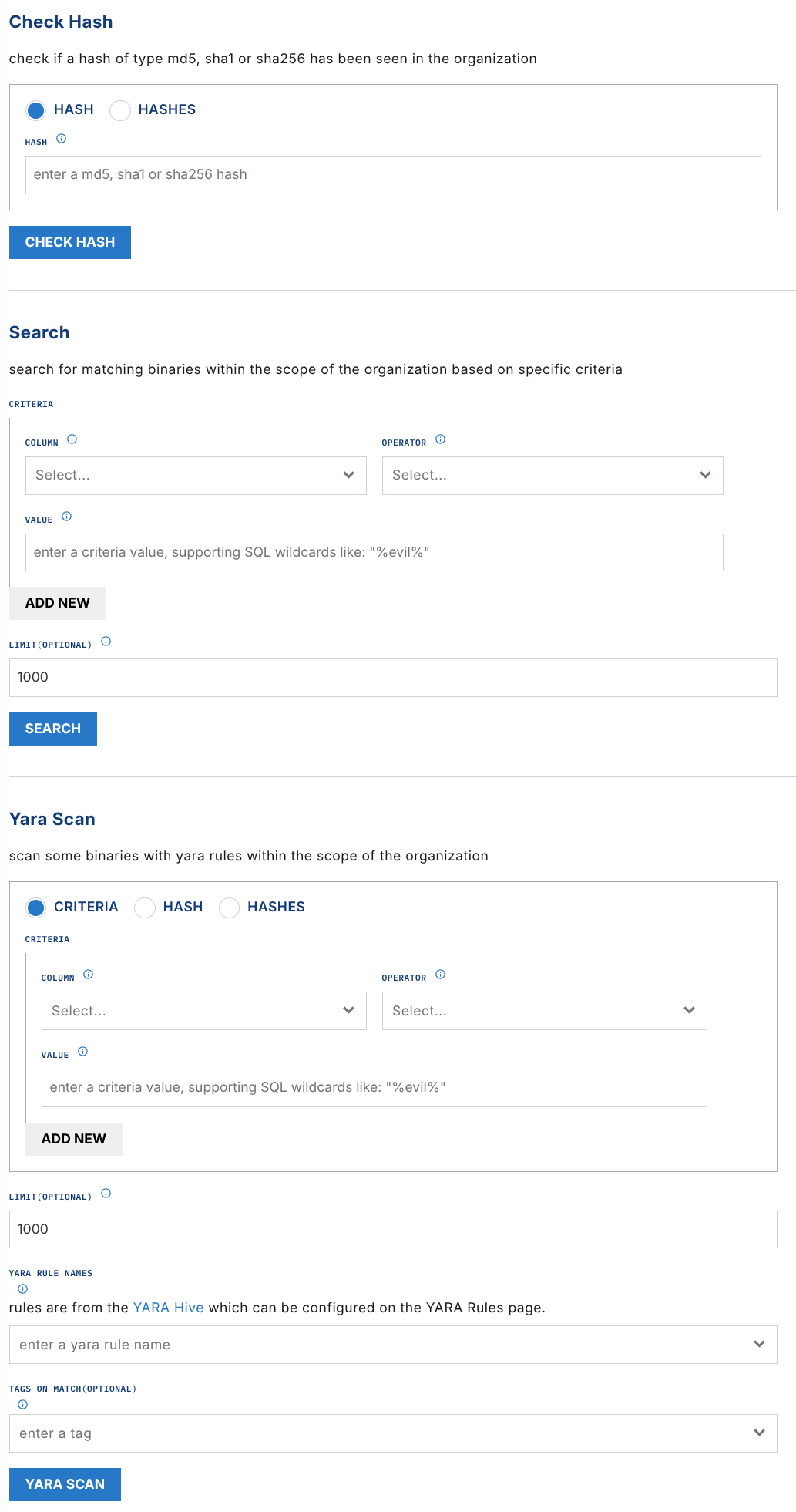
check_hash
Accepted Values: MD5, SHA1, SHA256
The check_hash operation lets you search to see if a particular hash has been observed in your Organization. Output includes a boolean if the hash was found and three hash values, if available.
Sample Output:
{
  "data": {
    "found": true,
    "md5": "e977bded5d4198d4895ac75150271158",
    "sha1": "9e2b05f142c35448c9bc48c40a732d632485c719",
    "sha256": "2f5d0c6159b194d6f0f2eae0b7734708368a23aebf9af4db9293865b57ffcaeb"
  }
}
get_hash_data
Accepted Values: MD5, SHA1, SHA256
Careful Downloading Binaries
LimaCharlie does not filter the binaries observed by your organization. You must exercise caution if downloading a malicious file. We recommend downloading potential malicious binaries to an isolated analysis system.
The get_hash_data operation provides a link to the raw data for the hash of interest, allowing you to download the resulting binary file (if previously observed within your environment).
Sample Output:
{
  "data": {
    "download_url": "https://storage.googleapis.com/lc-library-bin/b_2f5d0c...",
    "found": true,
    "md5": "e977bded5d4198d4895ac75150271158",
    "sha1": "9e2b05f142c35448c9bc48c40a732d632485c719",
    "sha256": "2f5d0c6159b194d6f0f2eae0b7734708368a23aebf9af4db9293865b57ffcaeb"
  }
}
get_hash_metadata
Accepted Values: MD5, SHA1, SHA256
The get_hash_metadata operation obtains the metadata for a hash of interest, including signing details, file type, and additional hashes.
{
  "data": {
    "found": true,
    "md5": "e977bded5d4198d4895ac75150271158",
    "metadata": {
      "imp_hash": "c105252faa9163fd63fb81bb334c61bf",
      "res_company_name": "Google LLC",
      "res_file_description": "Google Chrome Installer",
      "res_product_name": "Google Chrome Installer",
      "res_product_version": "113.0.5672.127",
      "sha256": "2f5d0c6159b194d6f0f2eae0b7734708368a23aebf9af4db9293865b57ffcaeb",
      "sig_authentihash": "028f24e2c1fd42a3edaf0dcf8a59afe39201fa7d3bb5804dca8559fde41b3f34",
      "sig_issuer": "US, DigiCert Trusted G4 Code Signing RSA4096 SHA384 2021 CA1",
      "sig_serial": "0e4418e2dede36dd2974c3443afb5ce5",
      "sig_subject": "US, California, Mountain View, Google LLC, Google LLC",
      "size": 5155608,
      "type": "pe"
    },
    "sha1": "9e2b05f142c35448c9bc48c40a732d632485c719",
    "sha256": "2f5d0c6159b194d6f0f2eae0b7734708368a23aebf9af4db9293865b57ffcaeb"
  }
}
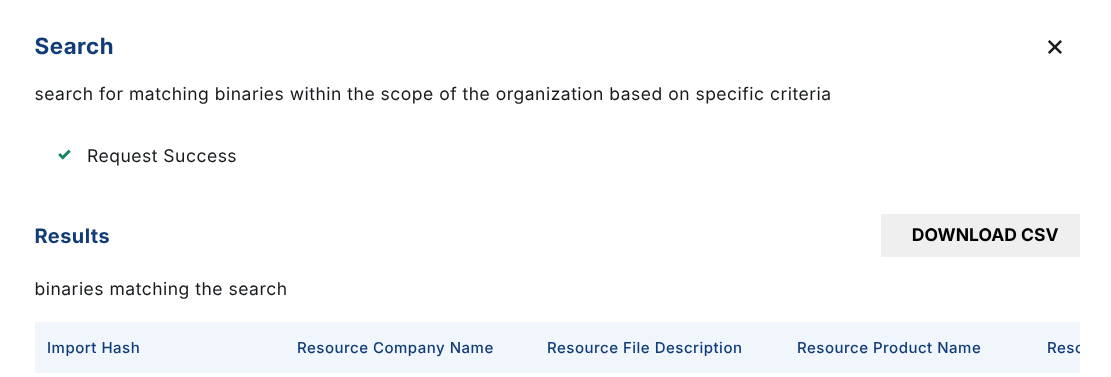
search
The search operation searches the library for binary data points, including or other than a known hash.
Searchable fields include:
- imp_hash
- res_company_name
- res_file_description
- res_product_name
- res_product_version
- sha256
- sig_authentihash
- sig_hash
- sig_issuer
- sig_subject
- size
- type
Note that search criteria are ANDed. Binaries must meet ALL criteria to be returned.
Search results can be downloaded as a CSV.
find_hosts
The find_hosts operation lists the hosts (sensors) where matching binaries were seen. Use it to go from "which binaries are vulnerable" to "which machines have them".
The binaries to look up are given either by:
criteria: the same search criteria assearch(ANDed), for exampleres_product_nameLIKEJava%andres_product_versionLIKE8.0.%, orhash/hashes: one or more MD5, SHA1 or SHA256 hashes.
Provide one or the other, not both. Optional parameters:
| Parameter | Default | Maximum | Description |
|---|---|---|---|
limit |
100 | 1000 | Maximum number of binaries to look up. |
hosts_limit |
100 | 999 | Maximum number of hosts returned for each binary, most recently seen first. |
The result is flat, with one row for each binary and host where it was seen, so the table in the web app and its CSV download can be used directly. Each row has the binary's sha256, res_product_name, res_product_version and res_company_name, and the host's sid, hostname, first_seen and last_seen (UTC, RFC 3339). The hostname can be empty if it is not known.
Sample Output:
{
  "data": {
    "results": [
      {
        "sha256": "5b8e1f3a7c9d20446e1a8b3c5d7f9e0a2b4c6d8e0f1a3b5c7d9e1f3a5b7c9d1e",
        "res_product_name": "Java(TM) Platform SE 8",
        "res_product_version": "8.0.2210.11",
        "res_company_name": "Oracle Corporation",
        "sid": "6f1c0a52-3b7e-4f0d-9c1e-2a8d5b7e9a10",
        "hostname": "web-01",
        "first_seen": "2026-10-02T14:03:11Z",
        "last_seen": "2026-11-17T08:41:52Z",
        "hosts_truncated": false
      },
      {
        "sha256": "9d1e4c7a0b3f58e2a6c4d9b1f07e3a52c8d6b4e1f9a07c35d2e8b6a4c1f09e73",
        "res_product_name": "Java(TM) Platform SE 7",
        "res_product_version": "7.0.800.15",
        "res_company_name": "Oracle Corporation",
        "sid": "",
        "hostname": "",
        "first_seen": "",
        "last_seen": "",
        "hosts_truncated": false
      }
    ],
    "num_binaries": 2,
    "num_binaries_with_hosts": 1,
    "binaries_limit_reached": false,
    "unresolved_hashes": [],
    "limit": 100,
    "hosts_limit": 100
  }
}
Things to know when reading the result:
- A binary seen on no host still gets a row, with empty
sid,hostname,first_seenandlast_seen, so it does not silently disappear from the table or the CSV. hosts_truncatedistrueon every row of a binary that has more hosts thanhosts_limit. Raisehosts_limit(up to 999) or narrow the criteria to see the rest.binaries_limit_reachedistruewhen the number of binaries reachedlimit, meaning more binaries may match your criteria.unresolved_hasheslists any MD5 or SHA1 you provided that BinLib could not map to a SHA256. Hosts are looked up by SHA256 only.- A hash BinLib has never seen can still be located when you provide it directly: the metadata columns are then empty.
- A request is refused when the number of binaries multiplied by
hosts_limitcould exceed 50,000 rows: narrow the criteria, or lowerlimitorhosts_limit.
Limits to keep in mind:
- The data comes from the Insight retention of your organization (up to one year), so a host that last ran the binary before that does not appear.
first_seenandlast_seenshow when the binary was seen on the host, not that it is still present. A binary that was removed since still appears.- It runs with your own permissions and requires
insight.evt.get(orinsight.evt.get.simple), because it reads from Insight. It uses your identity, so it cannot be run by a D&R rule.
tag
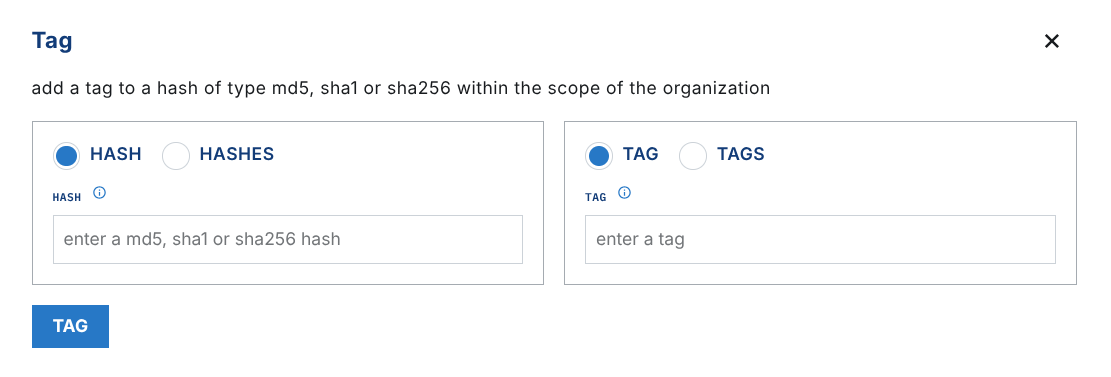
The tag operation allows you to add tag(s) to a hash, allowing for additional classification within binlib.
The below example Tags the Google Installer with the google tag.
Successful tagging yields an updated event:
{
  "data": {
    "found": true,
    "md5": "e977bded5d4198d4895ac75150271158",
    "sha1": "9e2b05f142c35448c9bc48c40a732d632485c719",
    "sha256": "2f5d0c6159b194d6f0f2eae0b7734708368a23aebf9af4db9293865b57ffcaeb",
    "updated": true
  }
}
untag
The untag operation removes a tag from a binary.
YARA scan
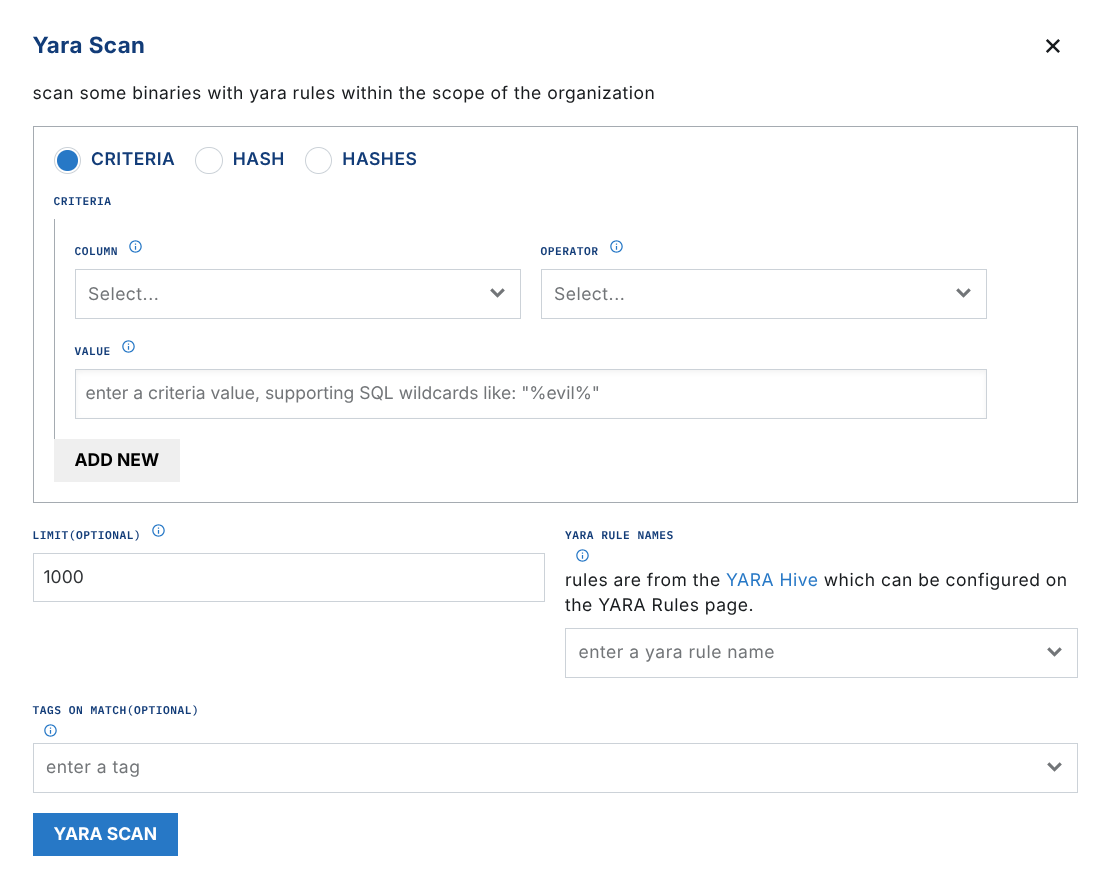
The yara_scan operation lets you run YARA scans across observed files. Scans require:
- Criteria or hash to filter files to be scanned
- Rule name(s) or rule(s)
You also have the option to tag hits on match.
Note that search criteria are ANDed. Binaries must meet ALL criteria to be returned.
Automating
Here are some examples of useful rules that could be used to automate interactions with Binlib.
Scan all acquired files with Yara
This rule will automatically scan all acquired files in binlib with a Yara rule:
detect:

event: acquired
op: is tagged
tag: ext:binlib

respond:

- action: report
  name: binlib-test
- action: extension request
  extension action: yara_scan
  extension name: binlib
  extension request:
    hash: '{{ .event.sha256 }}'
    rule_names:
      - yara_rule_name_here
and this rule will alert on matches: